PLAYBOOK · CUSTOMER OPERATIONS
Run closed-system customer support grounded in your data.
Public LLMs hallucinate, leak context, and never quite know your product. This playbook stands up a customer support agent that calls a Custom HTTP tool, retrieves answers from your own indexed knowledge base via Private RAG, and runs entirely on your infrastructure — no customer message ever leaves your network.
The problem
Generic chatbots can't speak your product
Most assistants either invent facts or send queries to a third-party model that has never seen your knowledge base. Support leaders need answers that are accurate, auditable, and entirely contained inside the organization's perimeter.
The VDF AI approach
Grounded answers, traceable tools, sovereign data
Wire a Custom HTTP tool to your back-office API (orders, accounts, tickets), index your help center and product docs into pgvector, and let a Network compose retrieval, drafting, and validation agents on every customer turn.
REFERENCE ARCHITECTURE
A closed system for trustworthy answers
Confluence · PDFs · Web
pgvector · feature-list scoped
Drafting + citation
orders / accounts / tickets
intent: answer · escalate · resolve
PLAYBOOK · STEP BY STEP
From help center to grounded support agent
Index your help center and product docs
In VDF Data, connect Confluence, the public help portal, and PDF manuals. Run EDA, define a support_knowledge Feature List, then build the pgvector index. Every chunk keeps source provenance for citation.
Register your back-office API as a Custom HTTP Tool
Bring your order lookup, account status, or ticket creation endpoint into AgentsHub as a typed Custom HTTP tool. The Network can now call it during a conversation with bearer-token passthrough.
POST /api/tools/http
{
  "tool_name": "lookup_order",
  "endpoint_url": "https://api.internal/orders/{id}",
  "http_method": "GET",
  "auth_method": "bearer_passthrough"
}Author the Support Agent and intent template
Compose a Support Agent that must (a) classify intent, (b) retrieve from the support_knowledge index, (c) call lookup_order when an order ID is mentioned, and (d) reply with citations. Bind it to a customer-question intent template.
Run the Network with SEEMR governance
Drop the agent and tools into Network Labs. SEEMR chooses an efficient SLM for routine intents and your high-capability model only for ambiguous turns — protecting cost and energy.
Monitor and refine
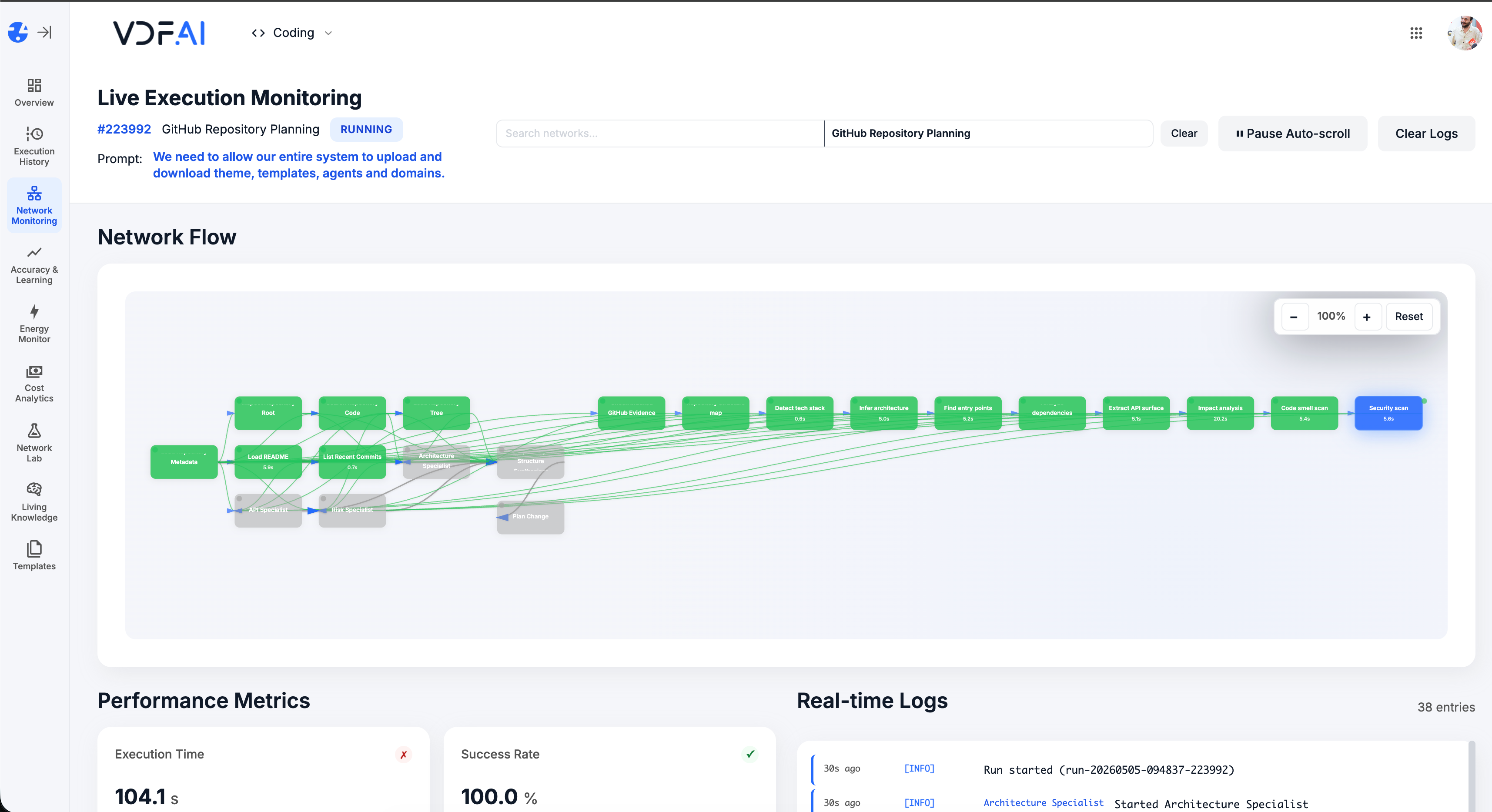
Live Execution Monitoring shows tool calls, retrieved chunks, and final replies. Accuracy Testing replays curated questions on every change.
OUTCOMES
What support leaders see in weeks, not quarters
more questions resolved by L1 without escalation.
customer messages or PII leaving your network.
of answers cite a source from your indexed knowledge.
SEEMR REFERENCE
Quality improves the more your customers ask
Every successful resolution, escalation, and CSAT score feeds the SEEMR learning modes. Routing rules and agent personalities re-tune themselves — without engineering changes.


GET IN TOUCH
You Have Questions
Tell us what you’re trying to achieve—governed AI Networks, enterprise RAG, deep integrations, or on‑premise deployment. We’ll help you map the right architecture, security posture, and rollout path. If you’re moving beyond AI pilots and need scalable, auditable execution, reach out—our team is ready to help.