In this lesson you will learn to
- Explain why a vector index flattens the permissions of its source
- Enforce access with the source account's grants and prove that it holds
- Keep sensitive rows out of an index built for a wider audience
- Test who can search an index and when a revoked grant takes effect
Before you start
- The first two lessons in this path
- Owner access to the source database, to change grants and create tables
Most enterprise content already has permissions: who can open a folder, read a table, see a ticket. RAG is permission-aware when it keeps them, so a person only ever retrieves what they could have opened themselves. The difficulty is that a vector index has no permissions of its own. Every chunk in it is returned to whoever can search it, whatever the source system would have allowed.
So access is decided before and around the index, not inside it. This lesson does that for the synthetic service desk, with one restricted table, one index built for a wider audience and a grant that is revoked after indexing.
Step 1: Map who may see what
Before indexing a source, write down who may see it and which parts are sensitive. For the service desk:
| Source | Who may see it | Sensitive part |
|---|---|---|
kb_articles | Everyone in the company | None |
ticket_resolutions | Service desk engineers | Security incidents, handled by the security team |
security_incident_notes | Security team only | The whole table |
The last column decides what each index may contain. If an index will be searched by a wider audience than a row’s permissions allow, that row must not be in it.
Step 2: Let the source account decide what can be read
The first control is the account the connection uses. Ours, academy_reader, can connect to the database and select from three tables. It cannot create anything, and it has no rights on security_incident_notes, which the database owner created and kept to themselves:
GRANT SELECT ON kb_articles, resolved_tickets, ticket_resolutions
  TO academy_reader;

-- Owned by the security team; no grant to the reader account.
REVOKE ALL ON security_incident_notes FROM PUBLIC;
Grants are the strongest control you have, because the database enforces them before any data reaches the platform. Everything later in this lesson builds on them.
Step 3: Prove the grant holds
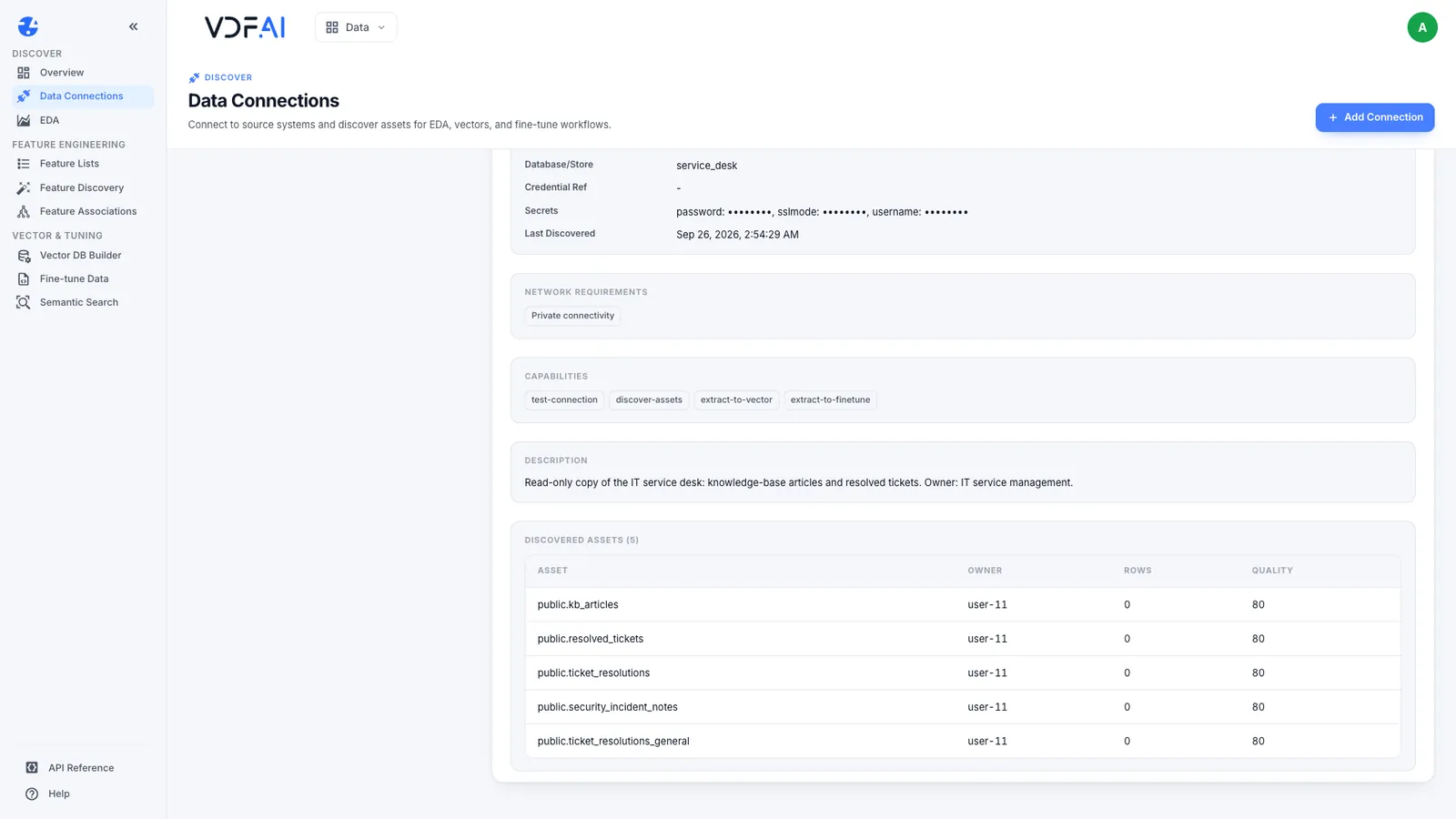
Do not assume a grant works; test it. In Data Connections, choose Discover Assets. The restricted table appears in the list, because discovery reads the database catalogue, and the catalogue names every table.
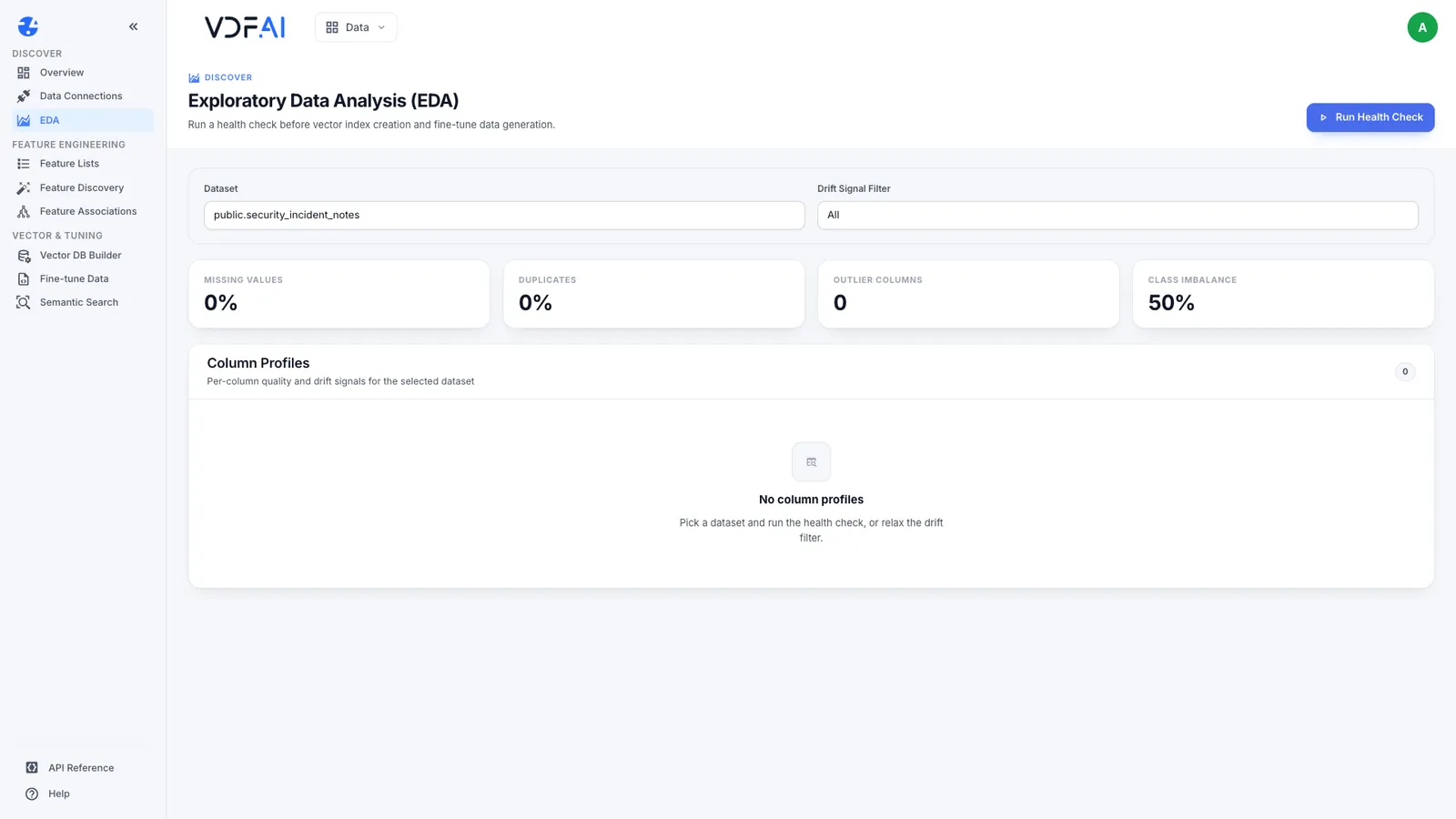
Now try to read it. The health check in EDA returns no column profiles, because the account cannot see a single column.
Create an index on the table and build it. The status is failed and no chunks are embedded.
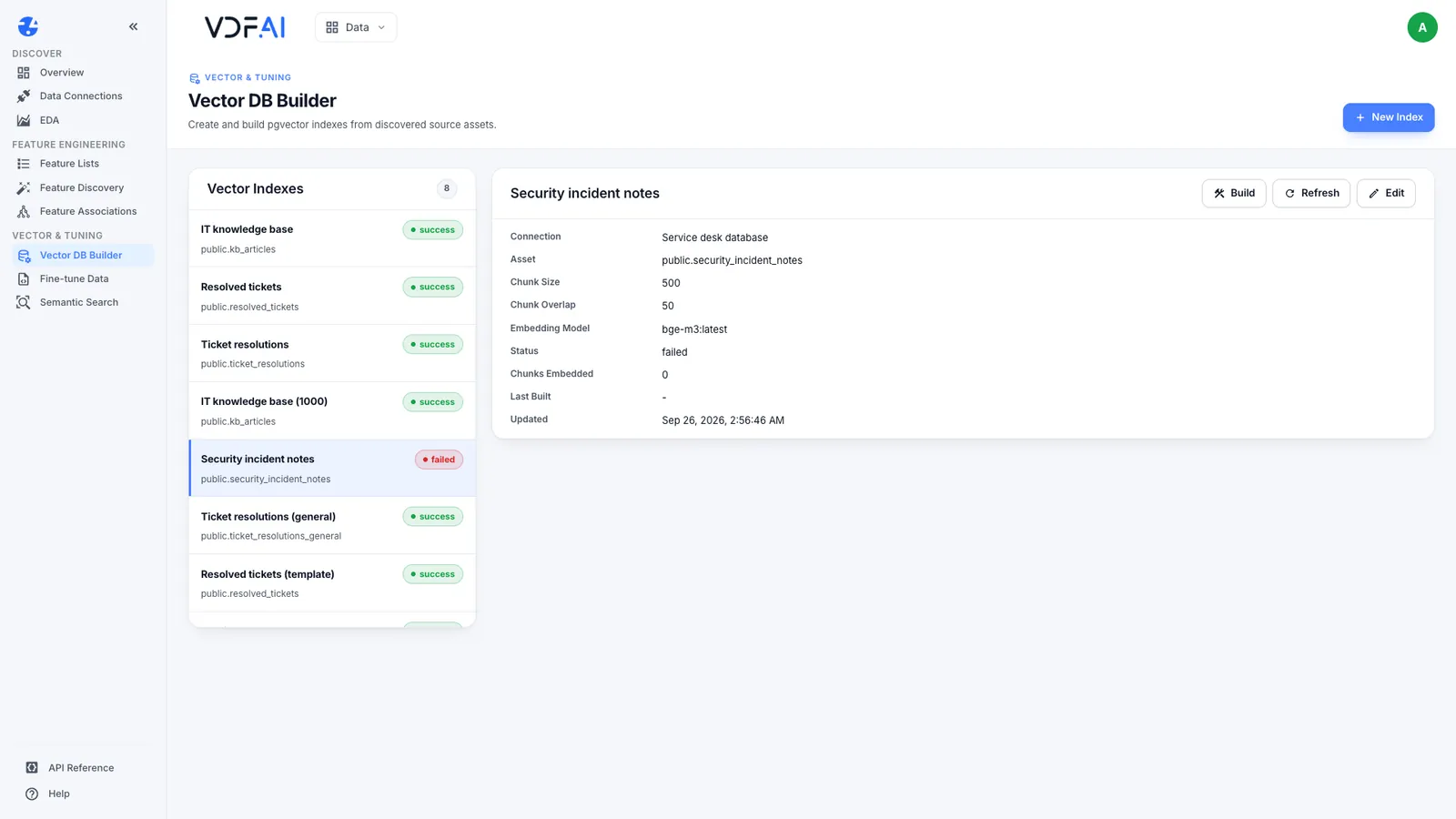
The platform knew the table’s name and read none of its content. The database decided. Two practical notes: when a build on a table you expected to read fails, check the account’s grants first; and in PostgreSQL, if a table’s name is itself sensitive, keep the table in a database the account cannot connect to.
Step 4: Keep sensitive rows out of the index
Grants work on whole tables. When a table mixes rows for different audiences, build a retrieval table for the wider audience that leaves the sensitive rows out:
CREATE TABLE ticket_resolutions_general AS
SELECT * FROM ticket_resolutions WHERE category <> 'Security';

ALTER TABLE ticket_resolutions_general ADD PRIMARY KEY (ticket_id);
GRANT SELECT ON ticket_resolutions_general TO academy_reader;
Of 105 resolutions, 21 are security incidents, so the general table has 84 rows. Index both tables and ask each the same question: “I typed my password into a fake login page”.
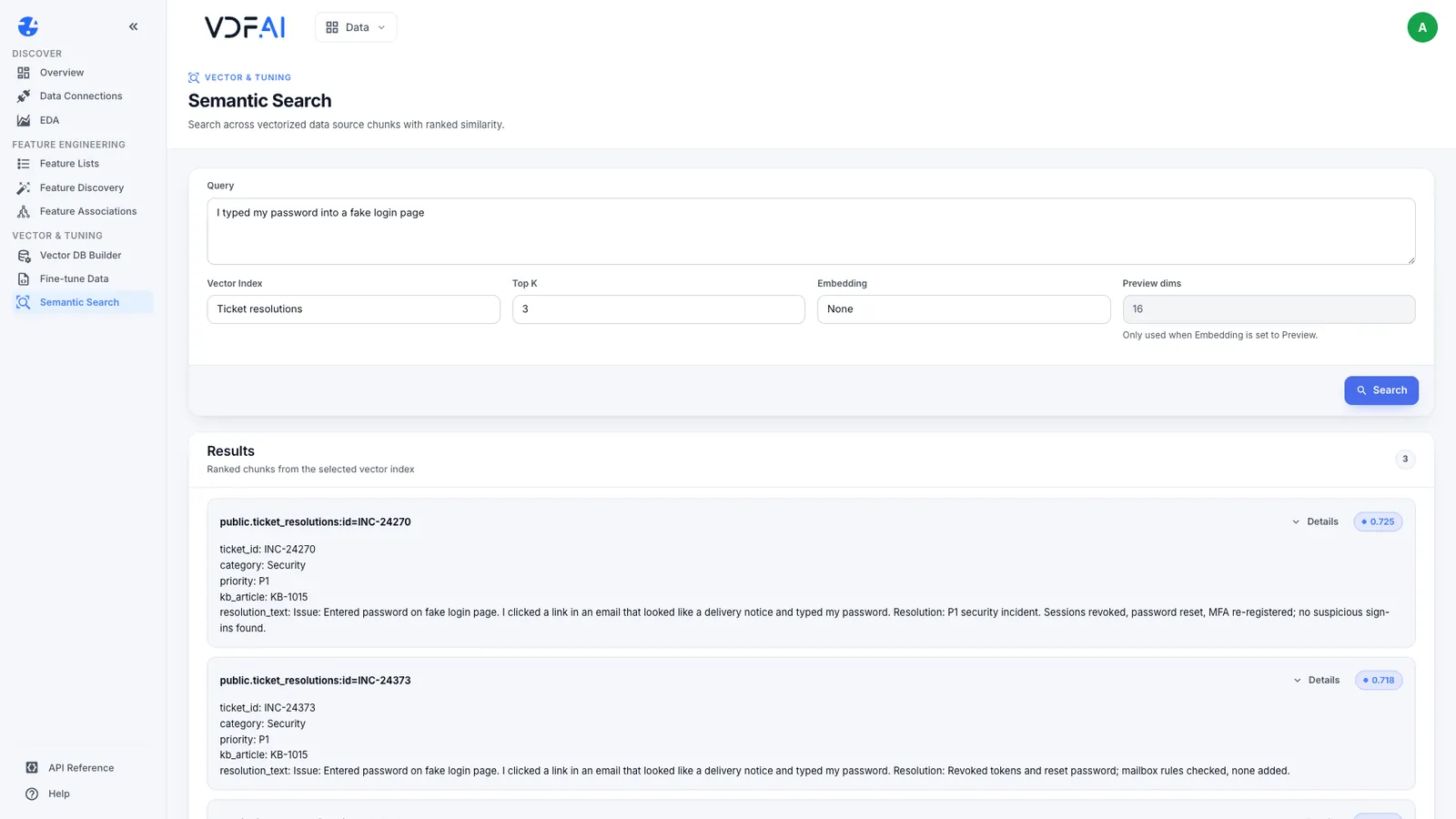
The full index returns three Security incidents at P1, with how each was handled. The general index returns none of them. Its closest matches are account lockouts, at scores between 0.557 and 0.590.
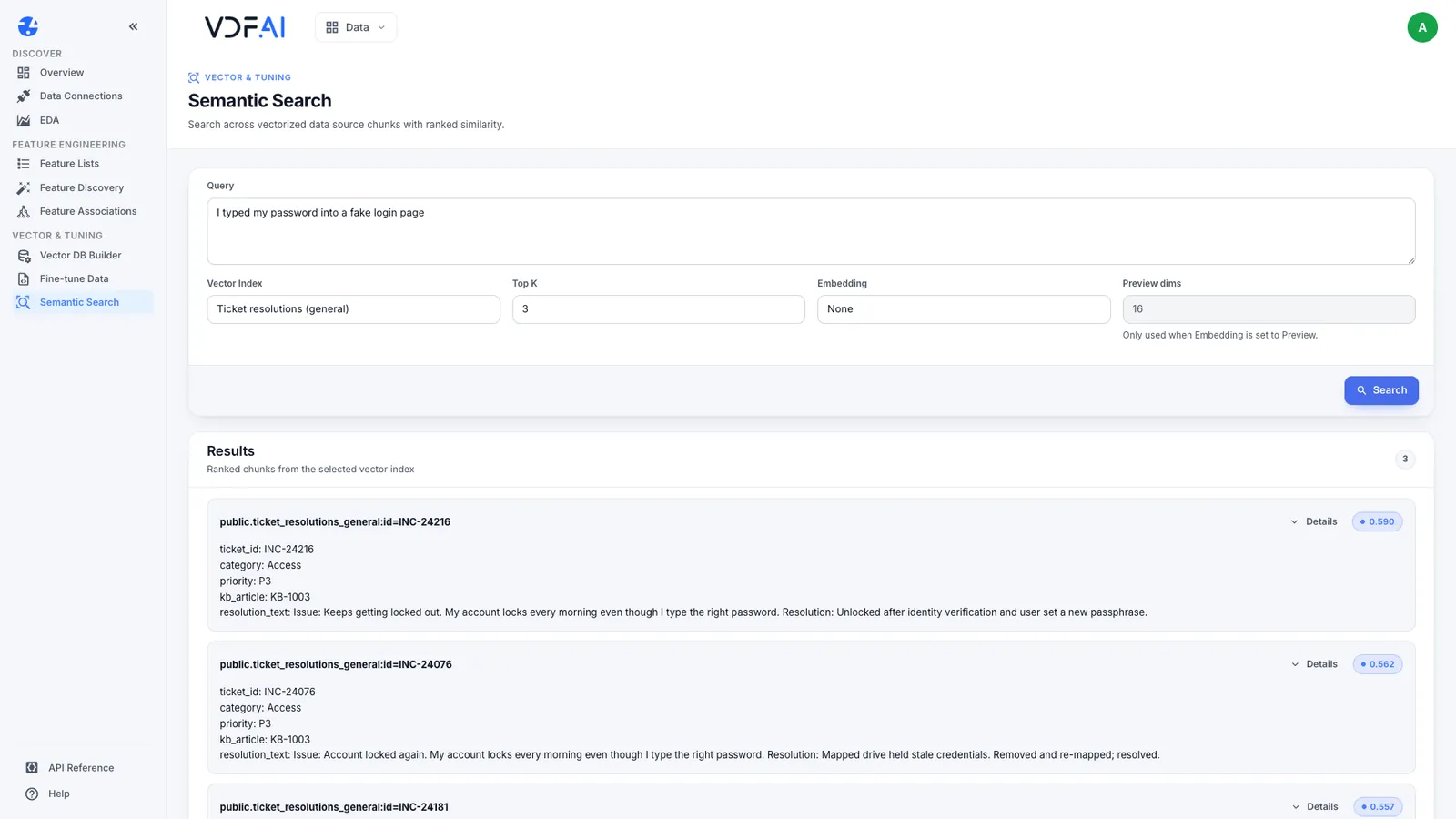
That is the intended behaviour, and it shows the cost. People searching the general index still need to know what to do about phishing, so the public knowledge-base article on reporting it belongs in the index everyone can search. The incident history stays with the security team.
Step 5: Check who can search the index
In VDF AI Data, connections and indexes belong to the account that created them. Our demo account’s Data app lists only its own connection and its own indexes; the same installation holds another account’s connection and two indexes, and they never appear here.
We checked it from the other side as well: asked the Data API, as the demo account, to search one of those other indexes by its exact ID. It answered 404, “Vector index not found”. An index is therefore as private as its owner account and that account’s API tokens. Use a named owner account for every index that matters, never a shared login.
Step 6: Rebuild when permissions change
An index is a snapshot. To see what that means for permissions, we revoked the reader account’s access to the general table after it was indexed:
REVOKE SELECT ON ticket_resolutions_general FROM academy_reader;Searching the index straight afterwards returned exactly the same three results as before. The revoked grant had no effect on chunks already stored.
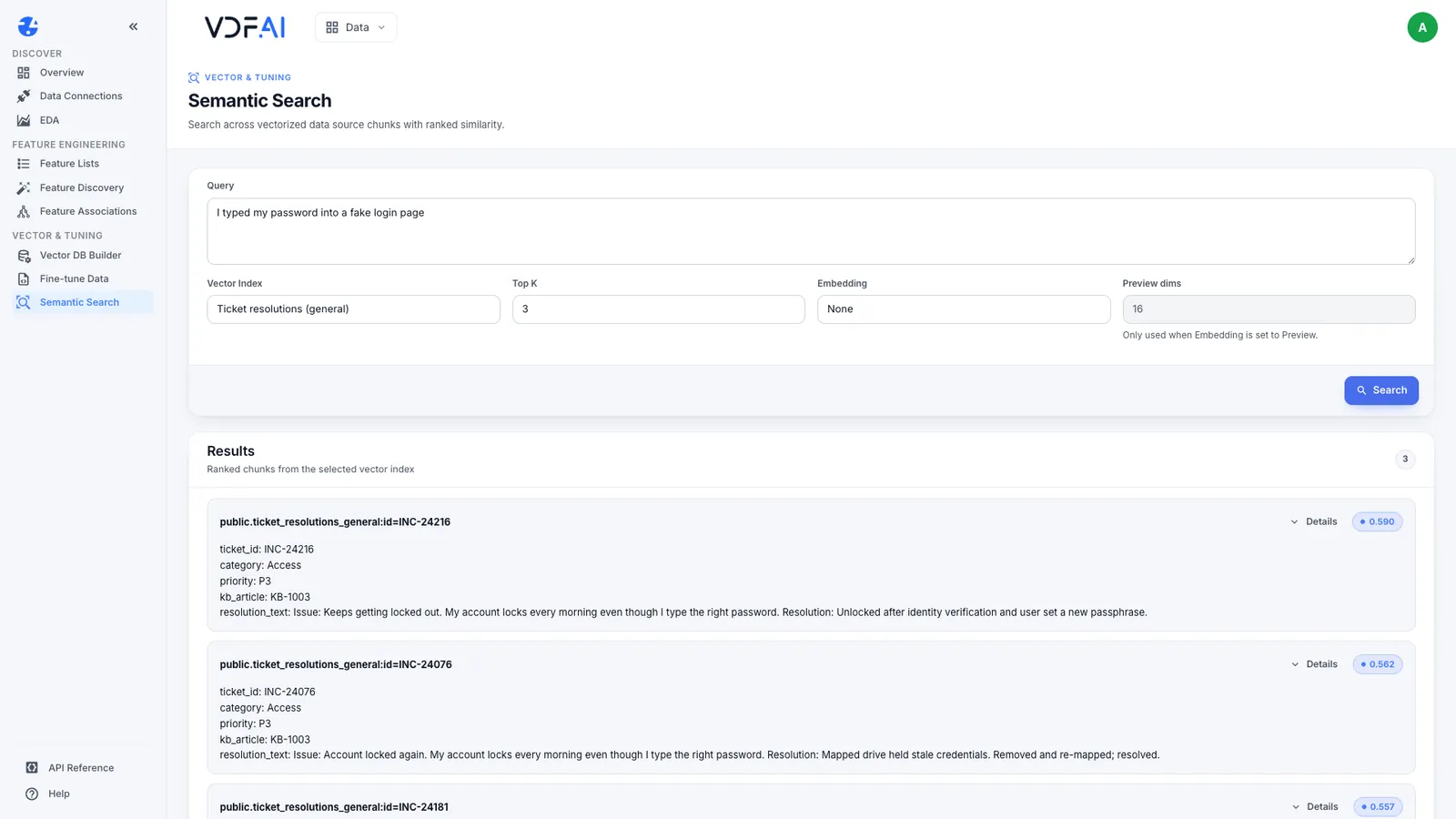
We then rebuilt it. The build failed with no chunks embedded, and the same search returned nothing.
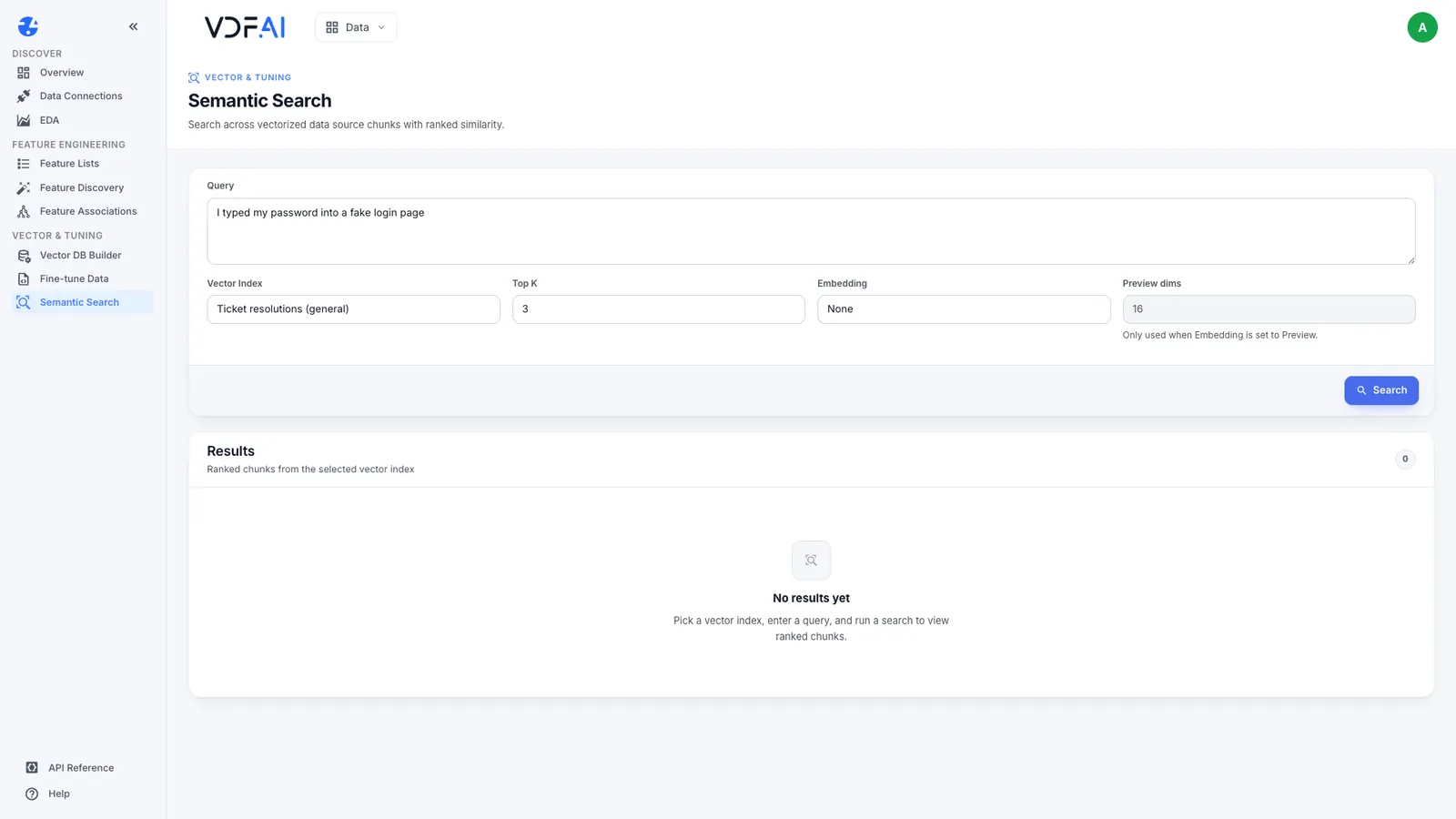
Make a rebuild part of every permission change: a revoked grant, a row that must be removed, a person who leaves the audience. Note that a rebuild clears the index before reading the source, so a failed rebuild leaves it empty until the next successful one. We restored the grant and rebuilt, and all 84 chunks came back.
Check your understanding
Why is a vector index the wrong place to enforce permissions?
It has no permissions of its own. Every chunk in it is returned to whoever can search it, so access has to be decided before indexing, by the source account's grants and by what the retrieval table contains.
The account could see the restricted table's name. Why was nothing indexed?
Discovery reads the database catalogue, which lists every table. Reading columns and rows needs a grant the account did not have, so the health check found no columns and the build embedded nothing.
You revoke a grant on a table that is already indexed. When does the index stop returning that data?
Only after the next rebuild. Until then the chunks already stored stay searchable, which is why every permission change needs a rebuild.
Reference
Build it in VDF AI
Follow along in your own workspace. The Starter plan is free, with no credit card.
Try VDF AI freeSee it on your own data
Walk through this with a VDF AI engineer, on your infrastructure and your use case.
Book an architecture callGo deeper with an instructor
Enterprise RAG Engineering: four live half-days, free for customers and partners.
See the course