In this lesson you will learn to
- Prepare accurate intake facts for a registered system
- Generate Annex IV technical documentation, a transparency notice and a record-keeping specification
- Find and complete every placeholder in a generated draft
- Check every commitment and legal citation before a document is approved
Before you start
- The first lesson in this path, with a system classified as high-risk
- The facts about that system that only its owner knows
Technical documentation is where EU AI Act compliance for a high-risk system becomes concrete. It is also slow to write from a blank page. VDF AI Compliance drafts it from the register in three steps, which is a real saving, provided someone who knows the system reviews every line.
This lesson drafts documentation for Example Ltd’s CV screening assistant, the synthetic high-risk system from the first lesson in this path. We show everything the drafts got wrong, because finding those things is the skill.
Step 1: Pick the system from the register
Open Document Generator in the Compliance sidebar. Step 1 lists the systems in the register with their tiers; we chose the CV screening assistant, marked high.
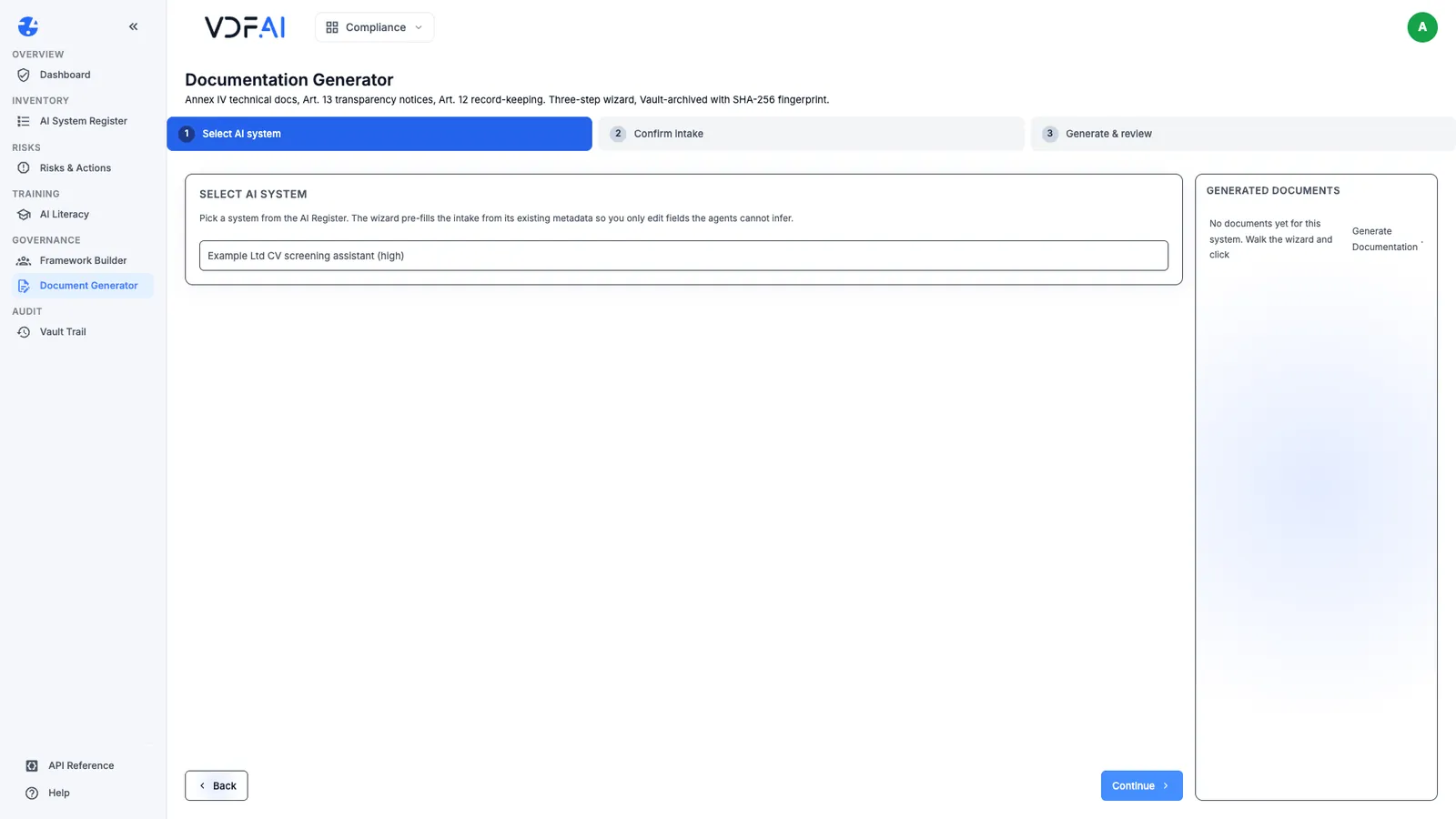
The panel on the right, Generated documents, lists every document already drafted for the selected system.
Step 2: Correct the intake before anything is written
Step 2 shows eleven intake fields that all three writers use: intended purpose, training data, testing methodology, performance metrics, human oversight design, known limitations, update procedures, affected populations, decision impact, model provider and model name. The wizard fills what it can from the register, and that is where the first mistake appears.
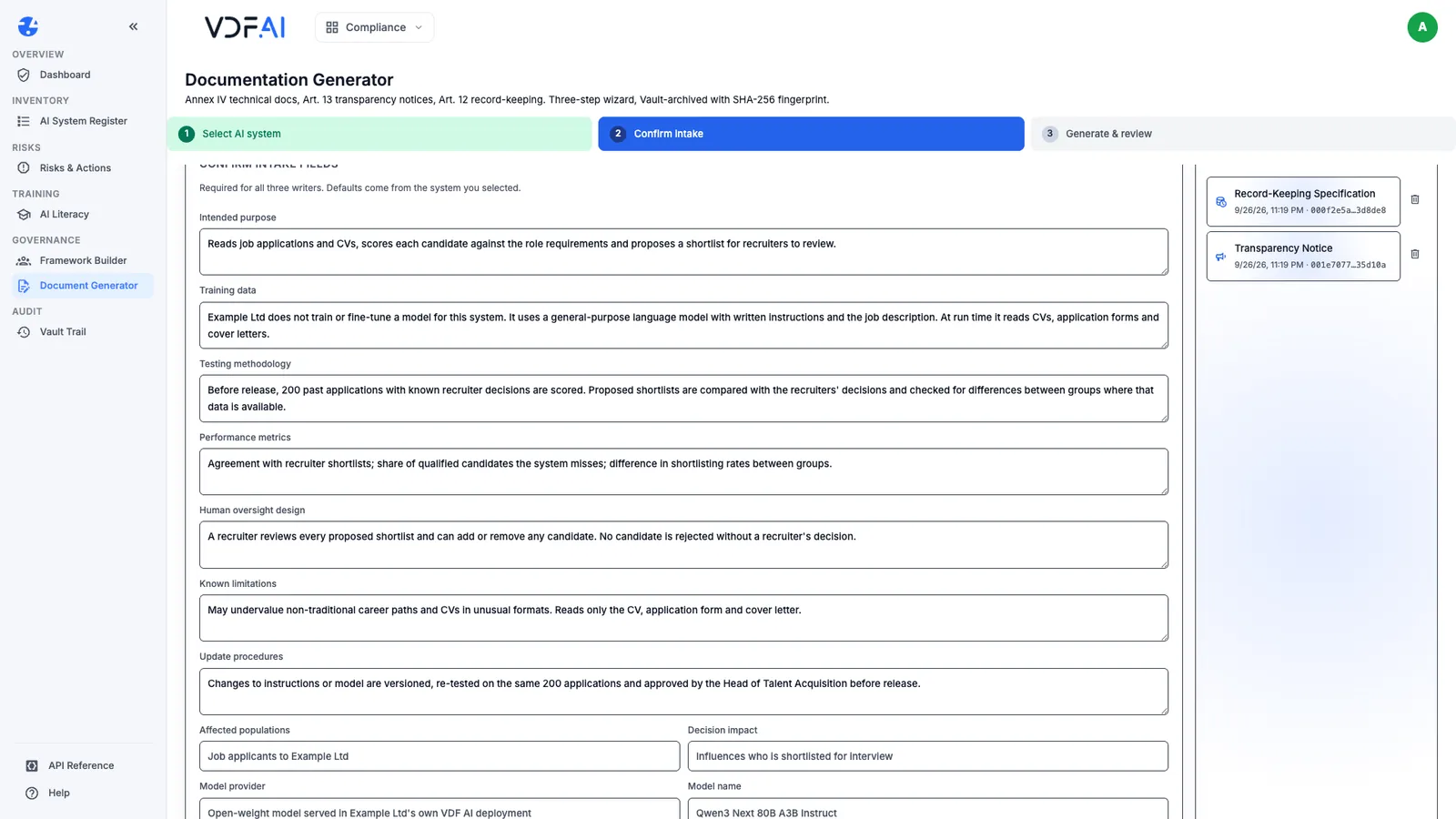
Training data arrived filled with the register’s data processed text: CVs, application forms and cover letters. That is what the system reads at run time, not what it was trained on. Example Ltd trains nothing; it uses a general-purpose model with written instructions. We rewrote the field to say so, then completed the rest. Our values are examples for a synthetic company; yours must describe what your organisation actually did. In particular, never describe tests you have not run.
The intake is not kept between visits, so keep your answers in a document and paste them in each time.
Step 3: Generate the three documents
Step 3 offers three documents, each written by its own agent: Annex IV Technical Documentation for Article 11, a Transparency Notice filed under Article 13, and a Record-Keeping Specification for Article 12. Choose Generate Documentation.
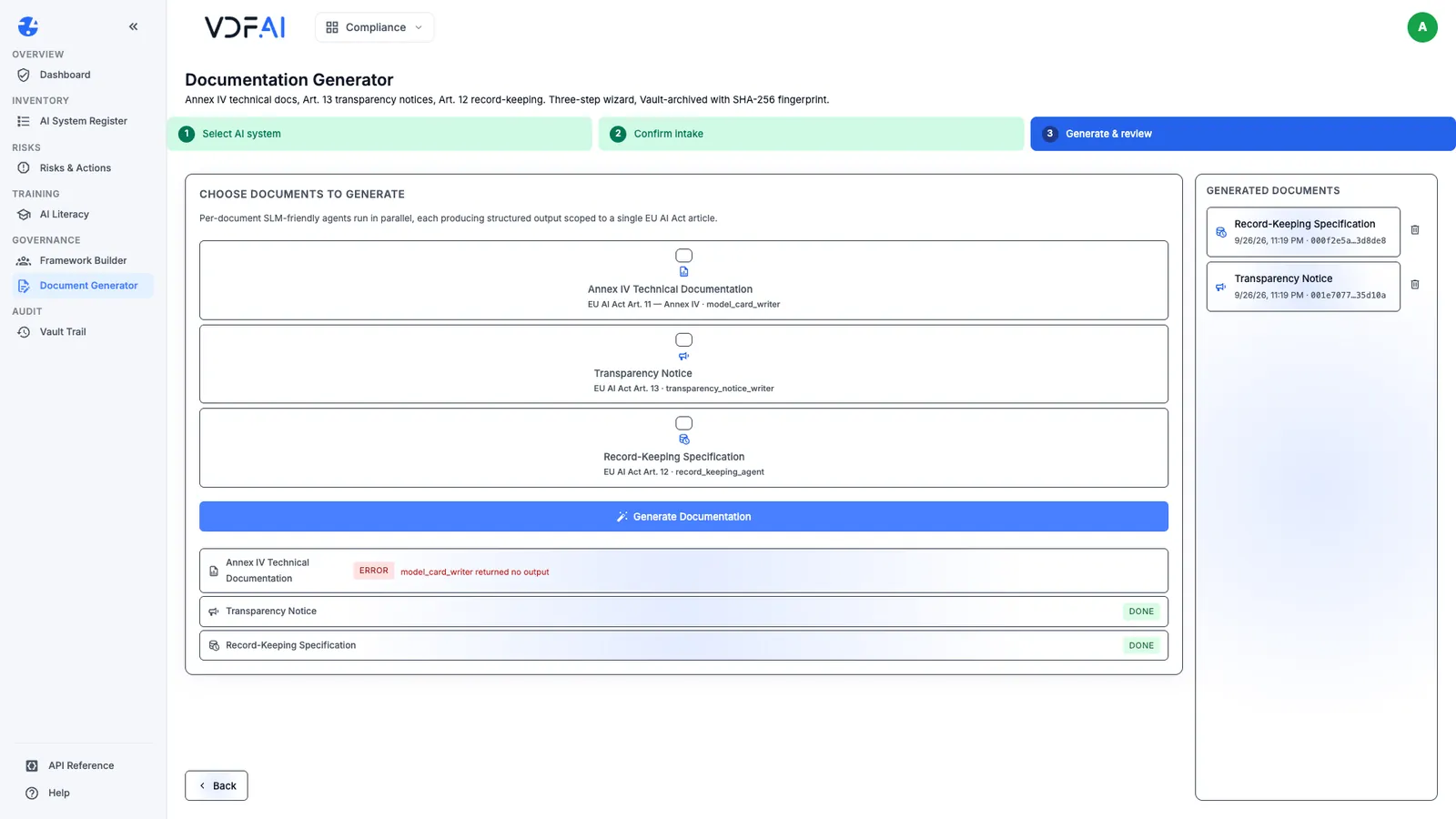
On our first run, the transparency notice and the record-keeping specification finished, and the Annex IV writer failed with “model_card_writer returned no output”. We selected only Annex IV and generated again; it finished in about 40 seconds. If one document fails, retry that one alone rather than regenerating the others.
Each finished document opens with its execution ID and a SHA-256 fingerprint, and offers Copy, PDF and Word.
Step 4: Complete every placeholder
The drafts mark what they could not know. The Annex IV draft has 25 headed sections, from general description to the post-market monitoring plan, and ten of them hold the text TO be filled — required for Art. 11 compliance: the provider’s legal entity, hardware and computational requirements and similar facts only the organisation has.
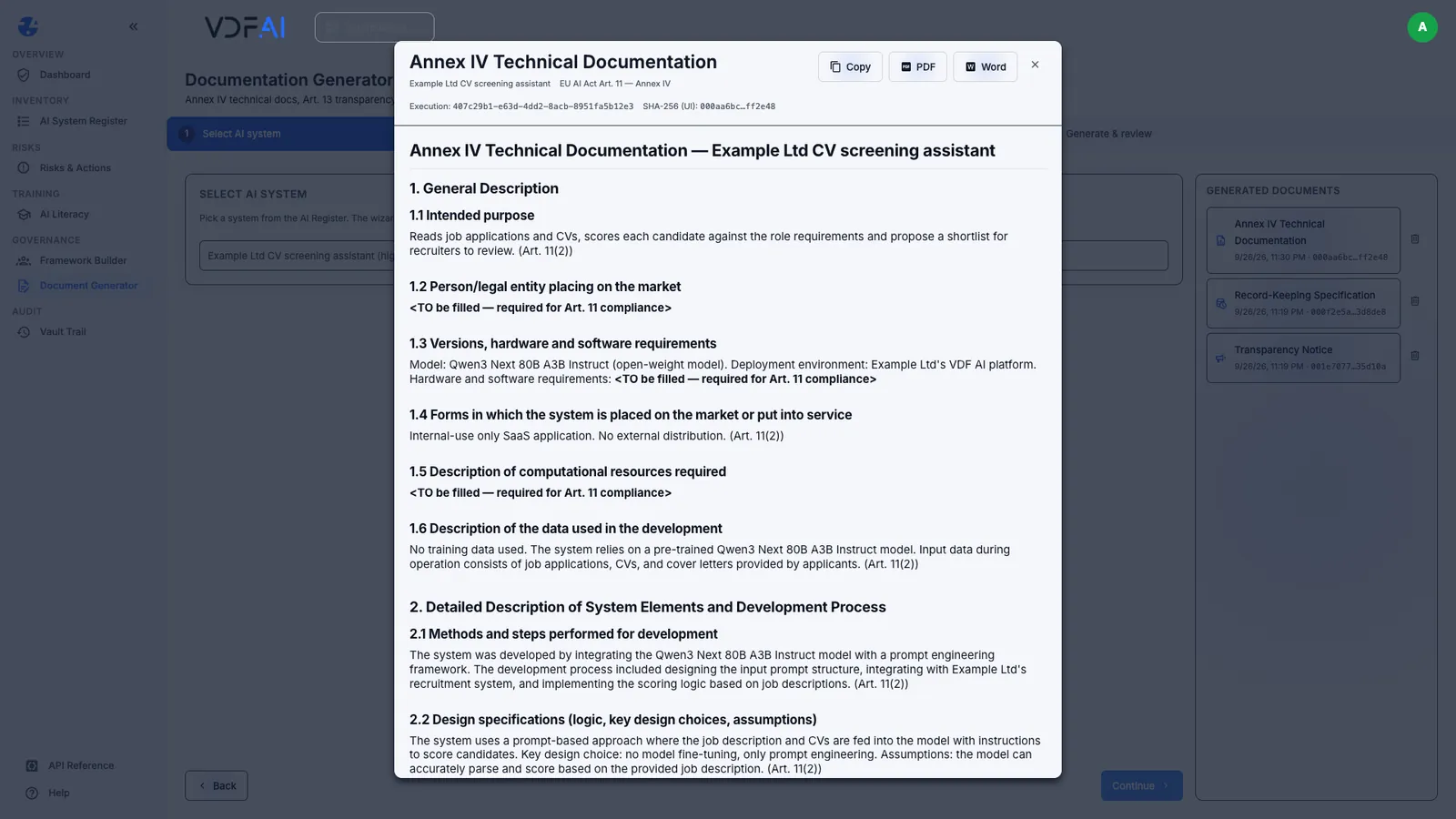
Placeholders are the honest part of a draft. The harder errors are confident ones. Section 1.4 described the system as an “internal-use only SaaS application”; nothing in the intake said SaaS, and Example Ltd runs it in its own deployment. Read every sentence the draft states as fact, not only the gaps it flags.
Step 5: Check every commitment and citation
The transparency notice is written for applicants, in plain language: what the tool does, what it reads, that a recruiter checks every suggestion and how to contest a decision. It left four placeholders, including the HR contact. It also promised something nobody had decided: “We will respond within 14 days”.
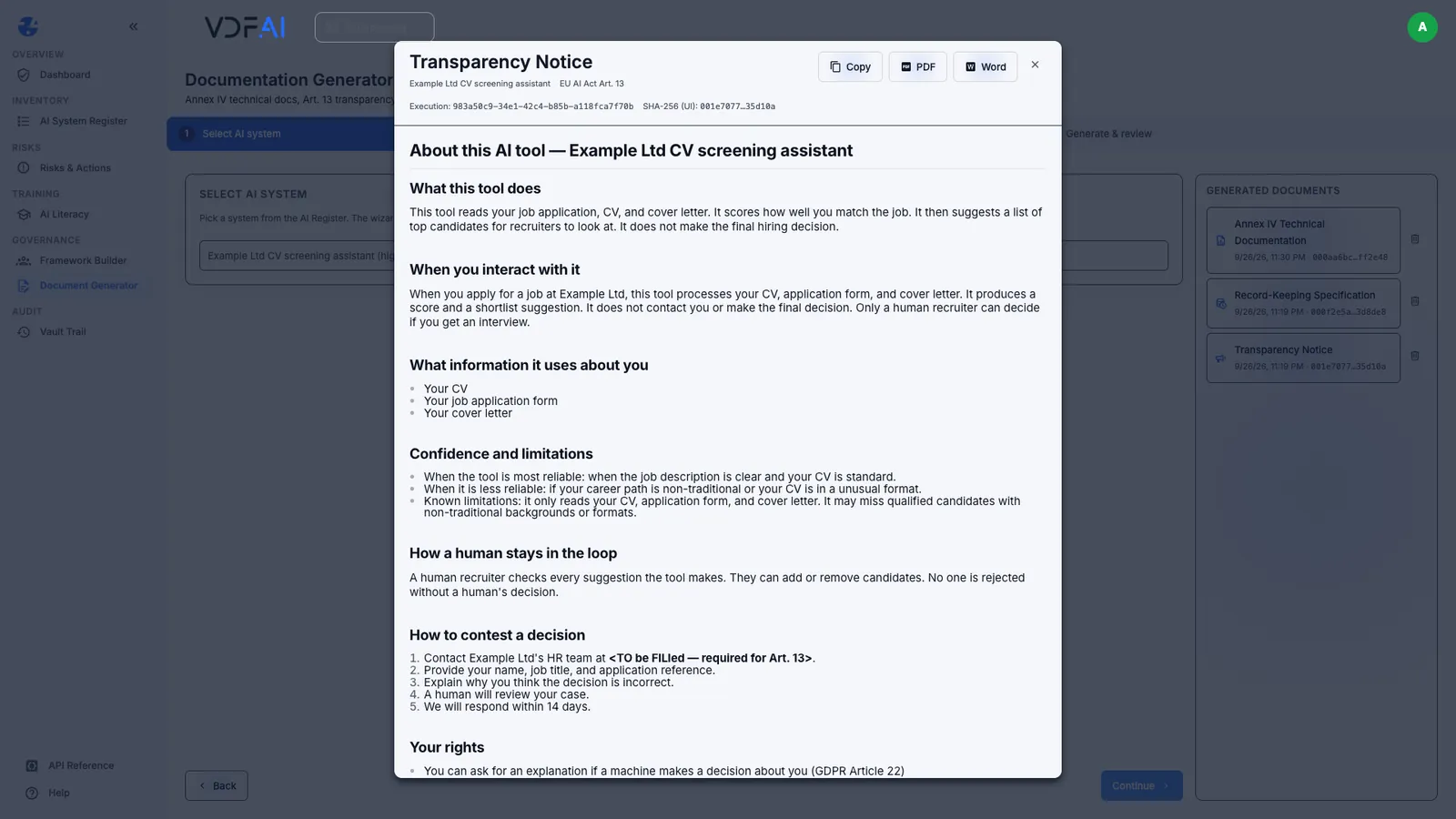
A promise in a notice becomes a commitment the moment the notice is published. Remove any response time, contact route or right that the organisation has not agreed, or replace it with the real one.
The record-keeping specification is the most technical of the three: ten logged event types, from inference requests to human overrides and model updates, an event schema, access control, tamper evidence and a review cadence. Its retention section set ten years after decommissioning, “per EU AI Act Article 19(2)”.
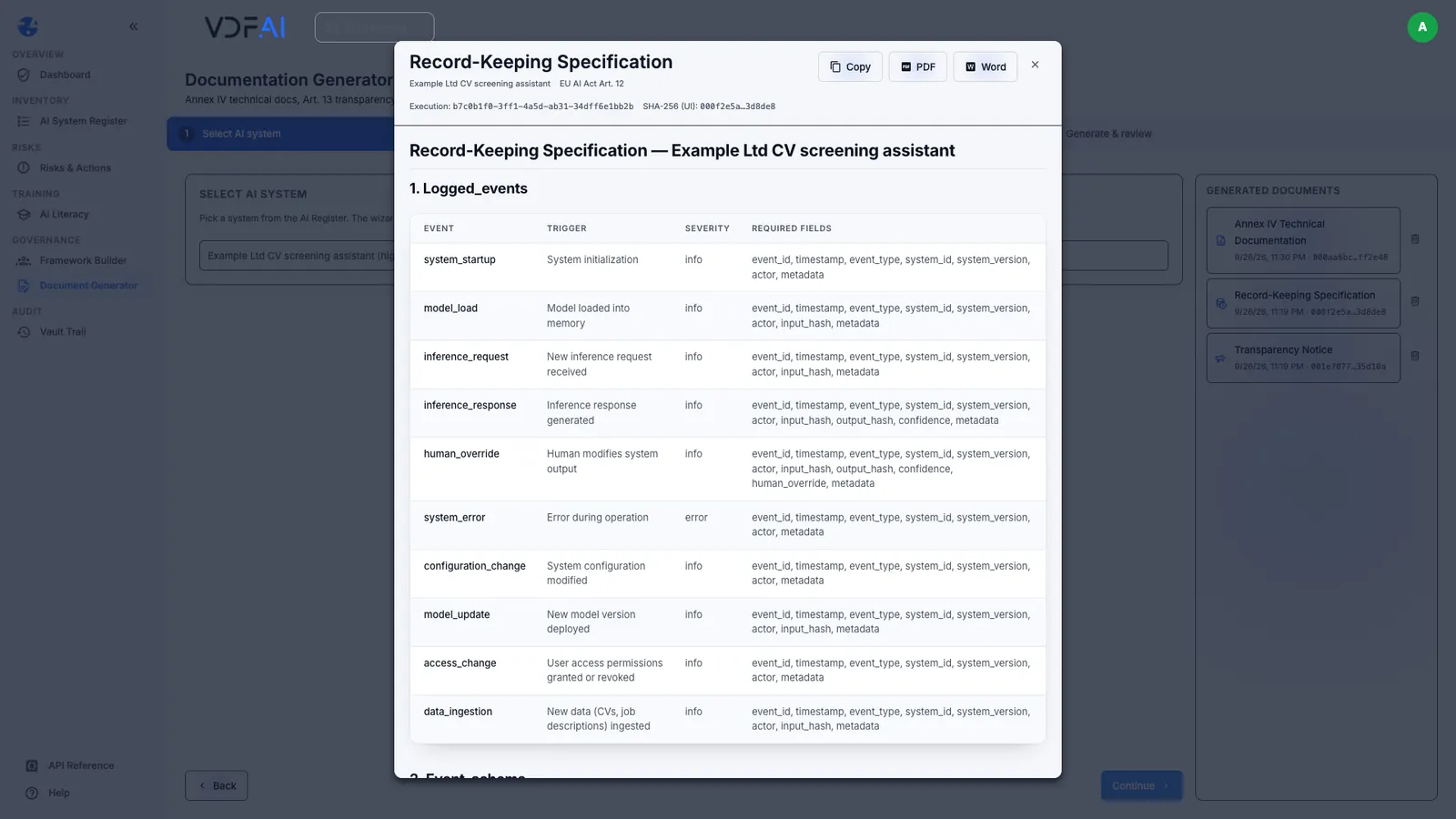
That citation is wrong. Article 19 asks providers to keep these logs for at least six months unless other Union or national law requires otherwise, and paragraph 2 concerns financial institutions. The ten-year period in Article 18 applies to documentation, not logs. Ten years might still be a defensible choice, but it has to be justified by the right rule, and balanced against data protection law, because these logs concern applicants. Check every article number against the text of the Act.
Step 6: Export the approved version
When the owner has completed the placeholders, removed invented commitments and corrected the citations, export the approved version with PDF or Word and store it wherever your organisation keeps controlled documents. Keep the execution ID and fingerprint of the draft it came from, so the approved text can be traced back to what was generated.
Then close the loop from the previous lesson: mark the documentation action Done and tick Has Art. 11 documentation on the system in the register. Not before.
Check your understanding
Why did we rewrite the Training data field before generating anything?
The wizard filled it from the register's data-processed field, which describes what the system reads at run time. Training data is a different fact, and in our case there was none, because no model was trained.
What did the applicant notice promise that nobody had decided?
That Example Ltd would respond to a challenge within 14 days. We never gave a response time. A reviewer must remove it or replace it with the organisation's real commitment.
What was wrong with the record-keeping specification's retention period?
It set ten years and cited Article 19(2). Article 19 asks providers to keep these logs for at least six months unless other law requires more, and 19(2) concerns financial institutions; the ten-year period in Article 18 is for documentation. Whatever period you choose, the citation must be right.
Reference
Build it in VDF AI
Follow along in your own workspace. The Starter plan is free, with no credit card.
Try VDF AI freeSee it on your own data
Walk through this with a VDF AI engineer, on your infrastructure and your use case.
Book a demoGo deeper with an instructor
Platform Administration and Governance: four live half-days, free for customers and partners.
See the course