PLAYBOOK · INTEROPERABILITY
Bring IBM watsonx, Microsoft Copilot, and other external agents into VDF AI.
You don't have to rebuild the agents you've already shipped on IBM watsonx, Microsoft Copilot Studio, Salesforce Agentforce, or Azure AI Studio. Register each as a Custom HTTP tool in VDF AI and orchestrate it alongside native agents inside a single governed Network.
You did not stand still while VDF AI was being built. You shipped a watsonx assistant for claims, a Copilot Studio bot for HR, an Agentforce flow for sales enablement, and an Azure AI Studio agent for procurement. VDF AI does not ask you to rebuild any of them — it asks you to expose them as tools so a single Network can choose the right one per intent.
The problem
Every platform claims to be the orchestrator
Enterprises end up with watsonx assistants, Copilot Studio bots, Agentforce flows, and homegrown agents — each in its own silo, each running its own routing. Nobody sees the whole picture, and switching costs are punishing.
The VDF AI approach
Treat every external agent as a tool
An agent on watsonx exposes an HTTP endpoint. So does a Copilot Studio bot, and so does Agentforce. VDF AI ingests them as typed Custom HTTP tools, lets Networks pick the best one per sub-intent, and governs everything with SEEMR.
WHY THIS MATTERS NOW
Vendor lock-in is solved at the orchestration layer, not the agent layer
Every platform that ships an agent now claims to be the orchestration layer. None of them want to admit that the next platform will say the same thing. The realistic posture is: assume you will run agents on multiple platforms, and put orchestration somewhere that does not lock you in.
VDF AI is that somewhere. Watsonx assistants, Copilot Studio bots, Agentforce flows, and your homegrown agents all expose HTTP endpoints. VDF AI catalogues them as Custom HTTP tools, ranks them per sub-intent, and routes based on outcomes. The user sees one chat experience. You see one audit trail.
WHAT YOU NEED TO START
Prerequisites for a pilot
External platforms
- watsonx Assistant API access
- Copilot Studio Direct Line tokens
- Agentforce Invocable Actions
- Azure AI Studio agent endpoints
VDF AI surface
- Agent Hub with HTTP tools enabled
- Domain per business area
- Auth bridging configured
- Optional: shared identity claims
People
- One owner per external platform
- One AgentsHub admin
- One identity admin
- Optional: change-management lead
REFERENCE ARCHITECTURE
External agents become first-class capabilities
tool_catalog · type=http
Agent Hub :7001
SEEMR routing · audit trail
PLAYBOOK · STEP BY STEP
From silo to orchestrated capability
Expose each external agent as an HTTP endpoint
Most platforms already do this. watsonx Assistant exposes a session API. Copilot Studio bots offer Direct Line. Agentforce supports an Invocable Action endpoint.
Wrap with a Custom HTTP Tool
Register the endpoint in AgentsHub with a typed schema. Auth (OAuth, API key, bearer passthrough) is managed by AgentsHub.
POST /api/tools/http
{
  "tool_name": "watsonx_claims_assistant",
  "endpoint_url": "https://api.us-south.assistant.watson.cloud.ibm.com/v2/assistants/{id}/sessions",
  "http_method": "POST",
  "auth_method": "bearer_passthrough",
  "parameters_schema": { "type":"object", "properties": { "message": {"type":"string"} }, "required":["message"] }
}Describe each tool's capability honestly
The description is the signal Networks v3 uses to pick the right tool. "Adjudicates dental claims" beats "watsonx skill #12".
Compose a hybrid Network
Drop native VDF AI agents and external tools onto the same canvas. SEEMR picks per sub-intent — and learns which external agent wins which task.
Observe and govern centrally
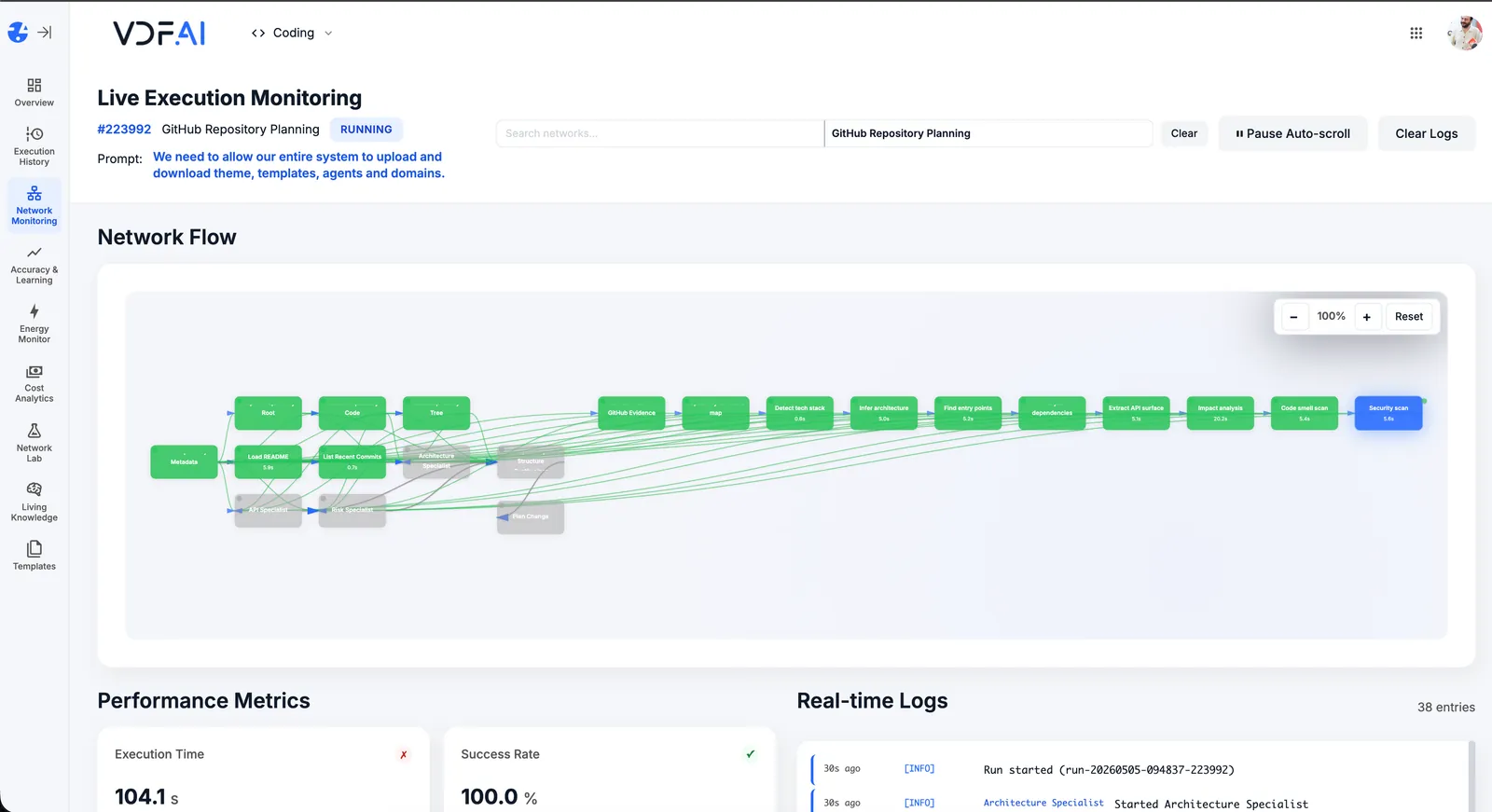
Live Execution Monitoring records every call — internal or external — with timing, cost, and outcome. One audit surface for the whole stack.
OUTCOMES
Keep what works, govern the whole
existing agents rewritten — your prior investment stays intact.
orchestration plane across watsonx, Copilot, Agentforce, and VDF.
chooses the right agent per sub-intent based on outcomes.
SEEMR REFERENCE
Outcome-driven routing across vendors
SEEMR doesn't care which platform an agent lives on. It tracks the outcome, the cost, and the energy — and shifts traffic to whichever capability wins.
FREQUENTLY ASKED QUESTIONS
What teams ask before shipping this playbook
Will my existing agents work without modification?
In almost all cases yes. If a platform exposes a callable HTTP endpoint with structured input and output, VDF AI can register it as a tool.
How are authentication tokens managed?
AgentsHub stores secrets and supports bearer-token passthrough or static credentials per tool. Rotation is supported.
Does this slow responses down?
Negligibly. The added hop is a function call inside your network. SEEMR's routing decisions are cached for hot intents.
What if two external agents do similar things?
Both get registered. SEEMR learns which one wins which sub-intent based on outcomes and lets you bias the routing if you want.
Can I gradually retire an external agent?
Yes. As VDF-native agents prove themselves, you can lower the priority of the external tool until traffic is fully shifted.
How long to integrate the first three platforms?
Two to three weeks: one for inventory and auth, one for tool registration and validation, one for routing tuning.
RELATED PLAYBOOKS
Continue with related VDF AI patterns



GET IN TOUCH
You Have Questions
Tell us what you’re trying to achieve—governed AI Networks, enterprise RAG, deep integrations, or on‑premise deployment. We’ll help you map the right architecture, security posture, and rollout path. If you’re moving beyond AI pilots and need scalable, auditable execution, reach out—our team is ready to help.