PLAYBOOK · KNOWLEDGE WORK
A private research assistant for analysts and strategists.
Analysts spend half their time gathering sources and the other half explaining them. This playbook builds a research assistant on VDF AI that crawls cleared sites, queries the open web, retrieves from your private library, and produces briefings with citations — all on your stack.
Analysts and strategists spend half their time gathering sources and the other half explaining them. Public AI tools mix sources and invent citations — unusable for anything that will ship to a client. VDF AI gives analysts a research assistant that crawls only cleared sites, queries the open web within bounds, and retrieves from your private library — with citations on every claim.
The problem
Research is a sourcing problem
Public AI tools mix sources and invent citations. Analysts can't ship anything that hasn't been traced. The result: hours of manual cross-checking on every brief.
The VDF AI approach
Bounded sources, traceable answers
VDF AI's built-in web_crawler and web_search MCP tools give you bounded web access. Pair them with a Private RAG of your internal library and an Analyst Agent that always cites.
WHY THIS MATTERS NOW
Research is a sourcing problem, not a generation problem
Most "AI research assistants" optimize for output length and tone. The thing that actually matters in research workflows is sourcing: where does the assertion come from, can the analyst defend it, and will it survive review?
VDF AI ships web_crawler and web_search as built-in MCP tools, both with bounded scope and polite crawling defaults. Combined with a Private RAG of your internal research library, an Analyst Agent produces briefings that are cited end-to-end.
WHAT YOU NEED TO START
Prerequisites for a pilot
Sources
- Internal research library (DMS or Drive)
- Whitelist of approved domains
- Optional: paid feed integrations
- Brand-voice and citation style guide
Workflow
- Briefing template per audience
- Quality and review checklist
- Optional: PR / IR clearance flow
- Distribution channel (chat, email, DMS)
People
- One head of research
- One IT owner for crawl boundaries
- One editor for tone tuning
- Optional: a fact-checker
REFERENCE ARCHITECTURE
From query to cited briefing
polite, domain-bounded
Intent: build-briefing
PLAYBOOK · STEP BY STEP
From topic prompt to briefing draft
Configure source whitelisting
Define which domains web_crawler can visit. web_search stays on by default with DuckDuckGo or a configured engine.
Index the internal library
VDF Data ingests prior research, deal memos, and reference material into pgvector with provenance.
Build a Curator + Analyst pair
The Curator gathers candidate sources; the Analyst synthesizes the briefing with per-claim citations. A Validator checks coverage and contradictions.
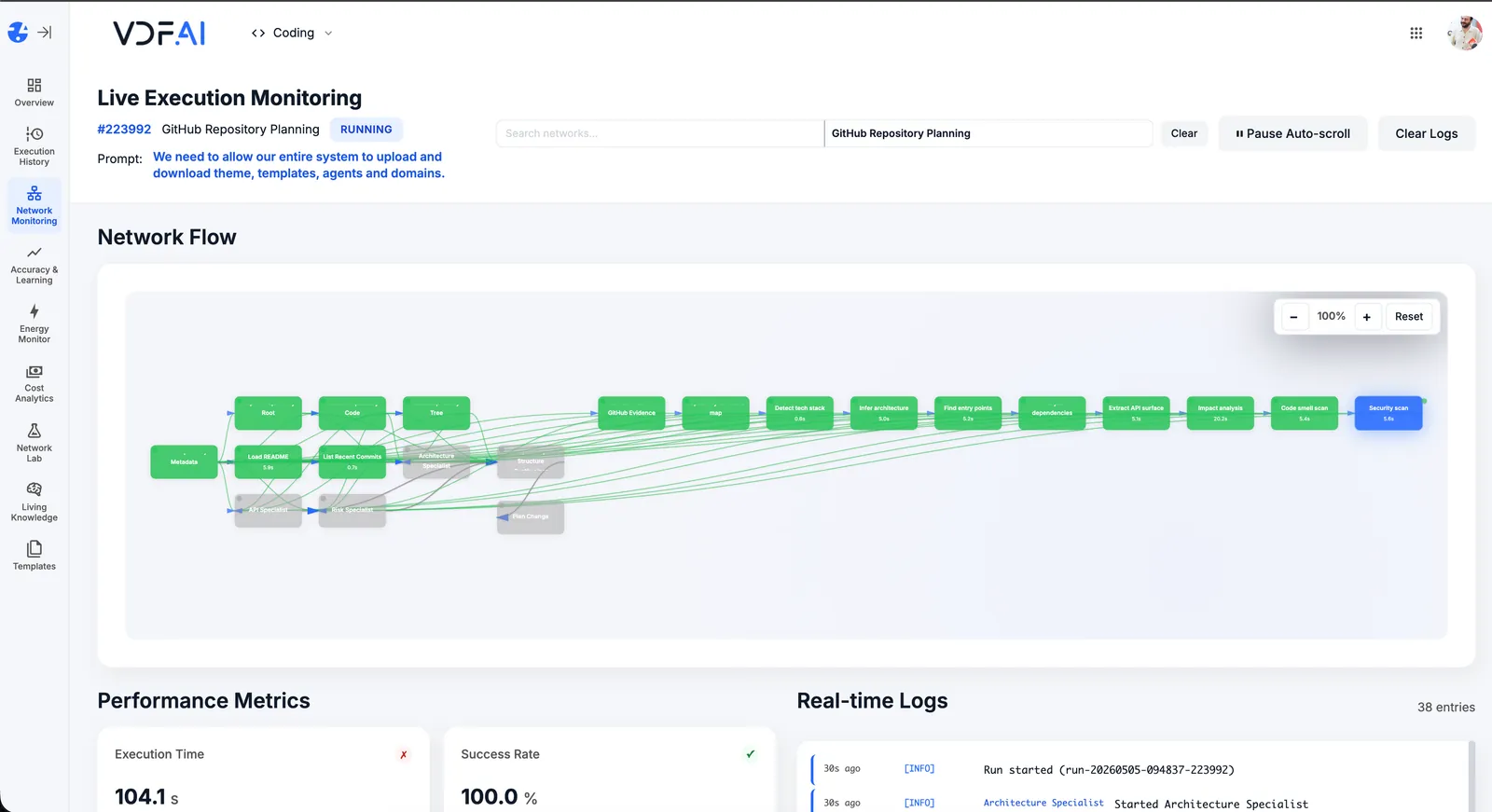
Compose the Research Network
Intent template build-briefing drives the run. SEEMR routes drafting to your strongest private model and ingestion to small SLMs.
Ship into the analyst's workspace
The briefing arrives in VDF AI Chat or your knowledge tool. Every claim links to its source.
OUTCOMES
Briefings analysts can publish
briefings per analyst per week.
claims traceable to a crawled URL or indexed document.
private library content sent to public AI services.
SEEMR REFERENCE
Better briefs over time
SEEMR learns which sub-intent (curate, synthesize, validate) maps best to which model, balancing quality and energy on every run.
FREQUENTLY ASKED QUESTIONS
What teams ask before shipping this playbook
How do we prevent the assistant from crawling sites we cannot cite?
Domain whitelisting in the web_crawler tool configuration. Only listed domains can be visited.
Can it use paid feeds (Bloomberg, Reuters, etc.)?
Yes, if you wrap the paid feed as a Custom HTTP tool. License terms apply to the integration.
How are citations formatted?
Per your brand-voice and citation style guide, configured in the Analyst Agent's system prompt. Most teams support APA, Chicago, and footnote variants.
How is sensitive internal content protected?
All retrieval happens on-prem. Domains scope which agents can access which internal library.
Can the briefing be exported?
Yes — to PDF, DOCX, Confluence, or your DMS via Custom HTTP tools or built-in document generation.
How long to roll out?
Three to four weeks: library indexing, crawl boundaries, prompt tuning, and first ten briefings.
RELATED PLAYBOOKS
Continue with related VDF AI patterns



GET IN TOUCH
You Have Questions
Tell us what you’re trying to achieve—governed AI Networks, enterprise RAG, deep integrations, or on‑premise deployment. We’ll help you map the right architecture, security posture, and rollout path. If you’re moving beyond AI pilots and need scalable, auditable execution, reach out—our team is ready to help.